



























TECHNICAL SUPPORT


Published 2026-03-02
It's really a headache to see yourservo"sizzling" there. Many friends who have just started playing robots or doing DIY projects, the first reaction is "Did I set the speed too fast?" or "Is the PWM frequency not set correctly?" In fact, there may be more reasons for the unusual sound made by theservothan you think, and it is not necessarily all caused by the frequency. Today we are going to talk about what causes this annoying “hissing” sound and how to solve it.
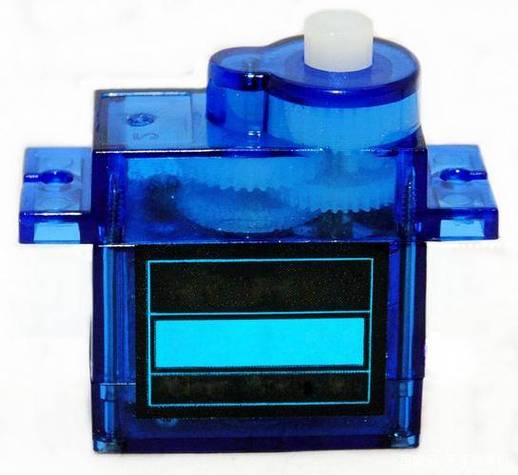
The core inside the steering gear is a DC motor plus a set of reduction gears, and a control circuit board. The PWM signal we give it is essentially telling it "which position you want to go to." When theservoreceives the command, the internal motor will start to rotate and drive the gear. The motor will not stop until the position feedback device tells the circuit board that it is "in place".
If this "in place" process is not perfect, or if there is any external interference, the motor will repeatedly and slightly adjust near a target position, just like when we walk and want to stop at a point but keep swaying in small steps. This high-frequency, tiny vibration will be transmitted through the gears and become the "sizzling" sound we hear. So, this is essentially an unstable state of the control system.
The answer is: yes, but it's usually not a matter of "frequency" that you set manually. The PWM frequency we often talk about controlling the servo is generally 50Hz, which means sending a pulse every 20 milliseconds. This frequency is the "standard language" of servos, and most analog servos and digital servos recognize this.
If you adjust this frequency too high, for example, above 200Hz, the servo control circuit may not be able to respond. It will continue to receive new instructions, and before it has time to execute them, the next instruction comes again. This will cause the servo to always be in a "catching up" state, causing continuous high-frequency whistling, heating, and even damage. Therefore, unless your servo manual clearly supports a higher refresh rate, please lock it firmly at 50Hz.
In addition to frequency issues, the most common source of "sizzling" sounds is actually the power supply. When the servo is started or blocked (such as being stuck by an external force), the instantaneous current will be very large. If your power supply has insufficient power supply capacity, or the power cord is too thin, the voltage will be pulled down momentarily. Once the steering gear control circuit detects voltage instability, it will easily work disorderly, causing jitter and noise.
Another common cause is mechanical. Is the load on the servo belt too heavy? Is there any jamming in the linkage mechanism? If the servo needs a lot of effort to maintain a position, the internal motor will continue to output high torque, producing a "sizzling" overload sound. In addition, in order to improve the response speed, the digital servo itself will have a weak "high-frequency jitter" to maintain the torque. This is a normal phenomenon, but if the noise suddenly becomes louder, it means there is a problem.
The PWM signal output by our control board, such as STM32, is a perfect square wave under ideal conditions. However, in the actual circuit, if the wiring is unreasonable, or the high current loop driven by the motor interferes with the signal line, the rising and falling edges of the PWM wave may become unsmooth, or even superimposed with noise.
The control chip of the steering gear is very sensitive to this "dirty" signal. It may misinterpret a piece of noise as multiple pulses, resulting in incorrect judgment of the servo position, resulting in irregular shaking and "sizzling" sounds. The judgment method is also very simple. You can try to connect the servo to a stable power supply alone and only lead the signal line from the controller. If the noise disappears, it is basically certain that the signal line has been interfered with.
️Step one: Check the power supply.Make sure your power supply can provide enough current. If possible, use a multimeter to check whether the power supply voltage fluctuates significantly when the servo is working. It is strongly recommended to use an independent power supply for the servo, or to connect a large capacitor (such as 470uF-) in parallel next to the high-power servo, which can effectively absorb the instantaneous current impact.
️Step 2: Straighten out the lines.Separate the signal wires and power wires of the servo and do not tie them with the motor drive wires. If conditions permit, use twisted pairs or shielded wires to transmit PWM signals, and the anti-interference effect will be much better.
️Step 3: Software filtering.In the code, do not frequently send small changing instructions to the servo. For example, the PWM value is updated only when the target angle differs from the current angle by more than 1 degree. This can avoid unnecessary adjustment of the servo due to small numerical jitter.
If your power supply is stable, the signal line has been processed, and the frequency is confirmed to be the standard 50Hz, but the servo still makes a loud noise and is accompanied by severe heat, slow response or non-linear movement, then it is likely that the servo itself has "end of life". The most common thing is that the potentiometer inside the servo (the part that detects the position) is worn, resulting in inaccurate position feedback. This will form a vicious cycle: inaccurate feedback -> control chip desperately adjusting -> increased wear on the motor and gears -> greater noise. At this time, replacing a new servo is the most worry-free option.
Having said all that, you might as well check the project you have on hand. Is the power supply not keeping up, or is the signal interfered with? During the process of debugging the servo, have you encountered any strange abnormal noises? Welcome to share your experience in the comment area, and let’s communicate and avoid pitfalls together. If you find this article useful, don’t forget to like and share it with more friends who play hardware!
Update Time:2026-03-02

Contact Kpower's product specialist to recommend suitable motor or gearbox for your product.








