



























TECHNICAL SUPPORT


Published 2026-03-18
Have you ever encountered this situation? I happily installed theservoon the robot. As soon as I turned on the power, theservoeither kept vibrating or could not turn in place and was hot to the touch. Don't worry, 80% of this is because theservohas not been adjusted properly. The so-calledhigh-precision servo servo debuggingis actually to make the "joint" of the servo understand your words and accurately reach the angle you want. If the debugging is not in place, no matter how expensive the steering gear is, it will be useless.
If a worker wants to do his job well, he must first sharpen his tools. Before debugging the servo, you must first prepare everything. In terms of hardware, a useful servo debugging board or USB to TTL serial port module is a must. It is responsible for connecting the computer and the servo. In addition, a regulated power supply that can display voltage and current is also indispensable. Unstable battery voltage will make debugging work less effective. In terms of software, go to the official website of the steering gear brand you bought and download the corresponding debugging software, such as SSCOM or . These software are usually very intuitive and allow you to directly read and modify various parameters of the steering gear.
️ In addition to these, an oscilloscope or logic analyzer is the "demon mirror" for advanced players. When the servo vibrates strangely and you suspect it is signal interference, you can use them to see whether the waveform is good or bad at a glance. For those who are just getting started, it is enough to understand the debugging board and software first. Remember, you don’t need too many tools, you just need to be comfortable. The key is to know what to observe at every step.
The neutral point of the steering gear is simply its mechanical zero point. If this point is not accurate and you ask it to turn to 90 degrees, it may only reach 85 degrees, and the robot will limp when walking. Neutral point correction is usually divided into two steps: first, send an intermediate pulse width signal, such as a PWM wave of 1500 microseconds (μs), to let the servo move to what it thinks is the neutral position. At this time, you compare the scale line on the servo output shaft with the mark on the servo housing. If they are not aligned, it means there is a deviation.
1. If the deviation is not large, most steering gear debugging software has "neutral offset" or "dead zone compensation" setting items. You can fill in a value to make the electronic zero point of the servo coincide with the mechanical zero point. 2. If the deviation is too large, some servos need to be adjusted manually. Usually, you need to open the servos housing and carefully adjust the potentiometer gear to the position of one tooth. This is a meticulous job that tests your patience. After adjusting the neutral point, the subsequent debugging will be meaningful.
PID is the "brain" of the steering gear that enables precise positioning. P (proportional) determines the reaction speed, I (integral) is used to eliminate static errors, and D (differential) plays the role of braking in advance and suppressing oscillation. You can imagine it this way: P allows you to quickly approach the target, I helps you reach the target accurately, and D prevents you from overshooting. Many friends get confused when they see PID. In fact, there are routines to follow for debugging.
Start with P first, and slowly increase the P value until the servo begins to vibrate slightly. At this time, move the P value back a little to find a point where the response is fast and does not vibrate. Then, if you find that the servo always misses the designated position by a little, slowly increase the I value until the error disappears. Finally, if the servo always shakes back and forth after it is in place, increase the D value appropriately and it will stop steadily as if damping has been added. Every servo and load is different, you can find the feeling by trying it a few times.
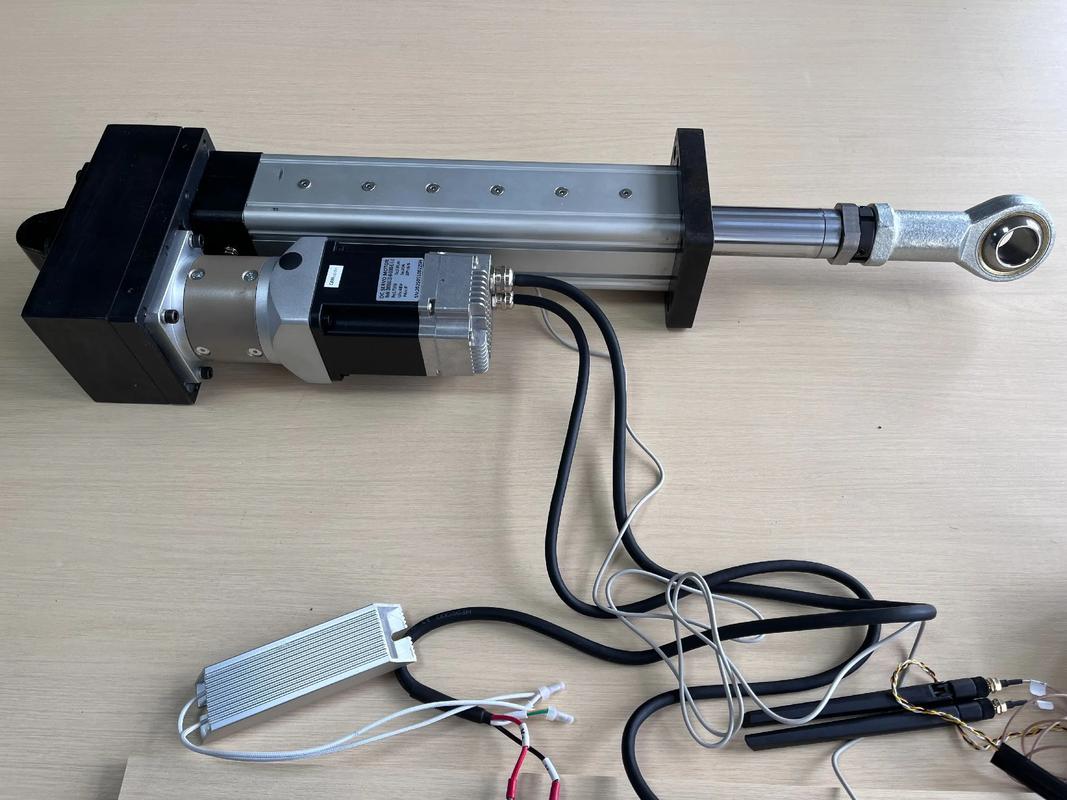
Servo vibration and heat are two major obstacles that often go hand in hand. The most common cause of jitter is that the P value in the PID parameter is too large, causing the servo to repeatedly correct near the target position. It may also be that the power supply is insufficient and voltage fluctuations make the servo "uneasy". Check it out. If your high-current servo is still powered by the computer's USB, the jitter is most likely caused by starvation.
Heating is mostly caused by excessive current. In addition to long-term heavy-load operation, when the servo is shaking, the motor switches back and forth between forward and reverse rotation, which will generate huge ineffective current and cause rapid heating. Also, if the PWM frequency of the servo is not set appropriately, it will also increase the switching loss of the internal MOS tube and convert it into heat. Therefore, once abnormal heating is found, first check for jitter problems, and then check whether the operating voltage and load are within the rated range of the servo.
Whether the debugging is good or not will be known by pulling it out and running around. The most intuitive test is to make a reciprocating motion, such as letting the servo swing back and forth between 0 degrees and 90 degrees. Use your eyes to see whether the movements are smooth and silky, and whether there are any lags or jitters in the middle. To be more precise, you can use the "track recording" function of the debugging software to see the curve of the actual angle of the servo following the target angle.
In addition to the no-load test, a load test must be done. Add the load that the servo needs to bear when the robot actually moves, for example, let the robotic arm grab a heavy object to see if the servo can be accurately positioned and remain stable. At this time, you can touch the temperature of the servo shell. Normal temperature or slight heat is normal. If it is hot, it means that the parameters need to be optimized, or the torque of the servo is a bit reluctant for your application.
There are many brands of servos on the market, and the debugging methods are similar, but the details are different. Domestic products such as, etc., mostly use similar TTL serial port protocols, and the debugging software interfaces are mostly in Chinese, which is more friendly to novices. Their parameter setting items are relatively fixed. Usually, adjusting a few core parameters such as PID, dead zone, and starting voltage can meet most needs.
And like the Korean series, they are the "high, rich and handsome" in servos. They use more complex communication protocols, the debugging software is very powerful, and there are more control modes that can be set, such as current control, speed control, position control, and even programming. The learning threshold is slightly higher, but once mastered, many complex functions can be achieved. For innovative products, choose the appropriate brand based on the project budget and performance requirements, and then carefully read through its official debugging manual to make the best use of the steering gear.
What is the most troublesome problem you have encountered when debugging the servo? Is it a poorly adjusted PID, or is it an inexplicable jitter? Welcome to share your "history of blood and tears" in the comment area, and give a like to let more friends who are being tortured by the steering gear read this article. Let's communicate together and avoid pitfalls together!
Update Time:2026-03-18

Contact Kpower's product specialist to recommend suitable motor or gearbox for your product.








