



























TECHNICAL SUPPORT


Published 2026-03-08
Have you ever encountered this situation: your mind is full of ideas and you want to play some new tricks with theservo, such as making a cool mechanical arm or a moving model. As a result, you search for "server model production video" and a lot of them come up. When you click on it, the image quality is blurry or the key steps are skipped. After watching it, you are still confused. You don't know how to put the parts in your hand together?
Don't worry, this is actually a common problem. Although there are many tutorials online, the quality varies. Today, from the perspective of someone who has been there, I will talk to you about how to use these videos to really play with theservoand create your own works.
When you first come into contact withservos, it’s easy to be intimidated by the complicated mechanical structures. In fact, there is no need to think too complicated, the best way to get started is to "imitate". You can search for "the simplest servo model" or "server introductory tutorial" on the video platform. Look for a video with high views and clear steps, such as making a simple servo gimbal or a small swinging device. First, follow the video to connect the hardware properly, and use the sample code provided by the merchant to make it move. This process can quickly build your confidence and understand the basic working principles of the steering gear, such as how it receives signals and how it rotates.
After you have a preliminary understanding of the steering gear, you can explore further. For example, try changing the parameters in the sample code to see how the rotation angle and speed of the servo will change. You can also design some more complex small experiments yourself to deepen your understanding of the working principle of the steering gear. You can also communicate and share experiences with other enthusiasts, and learn about different application scenarios and creative gameplay. Through these expansions, you can master the steering gear more deeply and apply it to more interesting projects.
I have encountered many pitfalls during the relevant operations. The most common problem is insufficient power supply. The moment the servo is started, the required current is very large. If you directly use the 5V pin on the development board to power multiple servos, the development board will most likely restart. At the same time, the servos will also show jitter and weak operation. Therefore, it is necessary to prepare a separate power supply for the servo, such as a battery box or a voltage stabilizing module, and the GND and development board must be grounded together.
Another common mistake is improperly installed mechanical structures. If the servo arm is tightened too tightly or too loosely, both conditions will affect the rotation accuracy of the servo, and in severe cases may even burn out the servo. When you watch the relevant video, be sure to pay special attention to how the up owner fixes and connects these components.
Here’s a little tip to judge whether a video is good or not: don’t just look at the title, but look at whether there is any “good stuff” in the content. High-quality videos usually have several characteristics: first, it will give a complete wiring diagram instead of just a flash; second, it will explain the role of key parameters in the code, such as how to calculate the pulse width corresponding to the angle; third, it will show the failure process and solutions, which is the most valuable experience. You can pay more attention to those up owners who have a series of tutorials and stable updates. Their content is usually planned and more suitable for systematic learning.
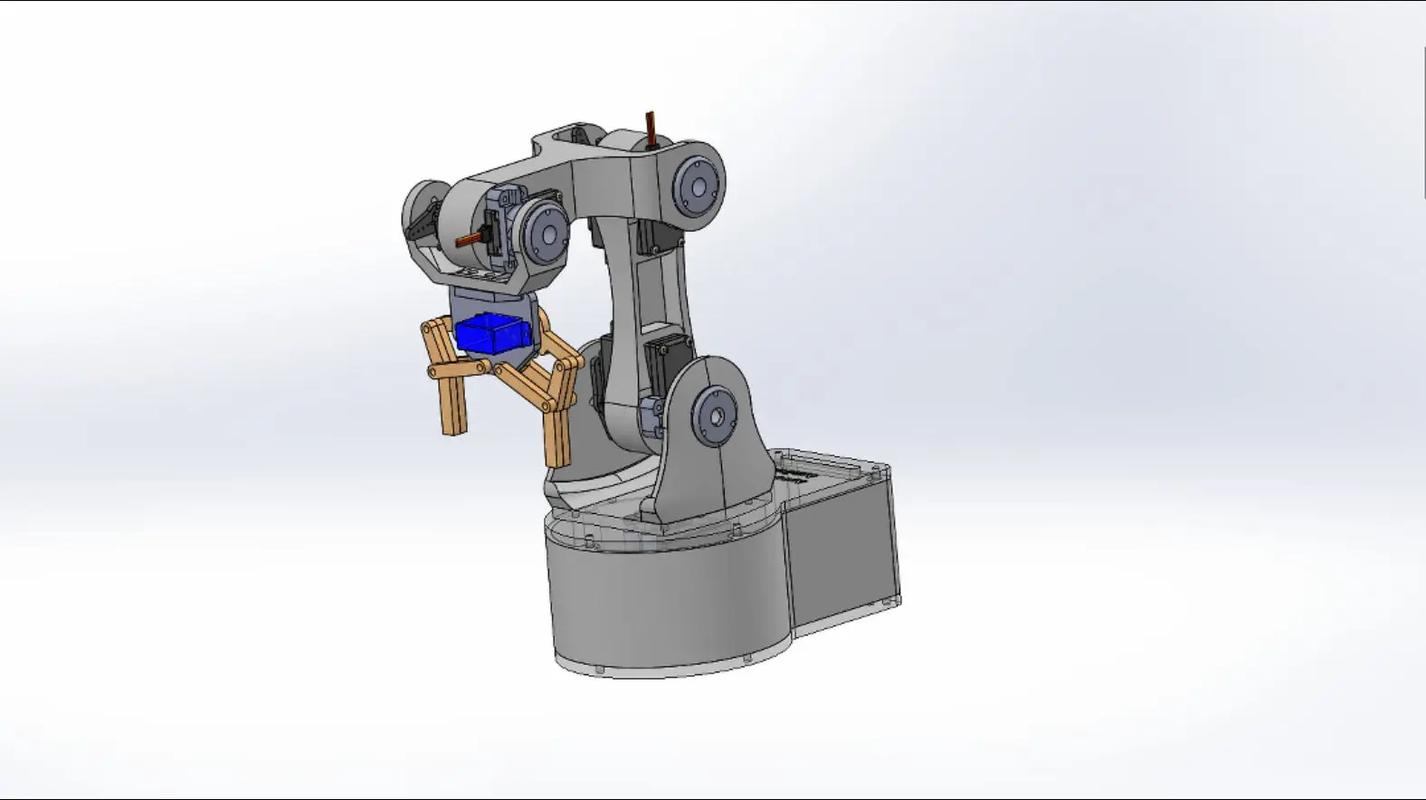
After you successfully make the servo move flexibly according to the instructions, you can start to consider adding some creative elements. The source of inspiration for creativity often comes from life. For example, when you see potted plants in the office, does an idea arise in your mind: Make an exquisite little device that can automatically water water, and use a servo to accurately control the water valve? Or you can carefully create a lively handmade toy for your child. At this time, you can search for "servo creative production" or "DIY servo project" on the video platform, which will open a new creative world for you. When conceiving a creative project, first draw a brief sketch on paper and think carefully about how many servos you need to use and the actions they are each responsible for completing. Don’t blindly pursue perfection in one go. You might as well build a simple prototype with Lego bricks or cardboard to verify your idea. This is the lowest cost.
After building a prototype to verify the idea, the design will be optimized based on the actual situation. If you find that the servo is not operating smoothly, check whether the connection part is stable, or adjust the parameters in the program. When you have a clearer direction for your creativity and feel that the existing materials cannot meet your needs, you can look for more suitable materials. For example, if you want the servo to move more flexibly, you can choose higher-quality gears; if you want to make the device more durable, consider using metal sheets instead of cardboard. As you continue to try and improve, your servo creative works will become more and more perfect, and finally produce satisfactory results.
Follow the video to learn production, don't just watch and do it like watching a movie. My method is "three steps": first step, watch the video completely to understand what materials and tools are needed, and have a mental map; second step, pause the video, prepare everything, and then follow the video step by step, and go back and watch it again if you encounter something you don't understand; third step, after finishing, try to modify the parameters or structure in the video, such as changing the rotation angle or the length of the connecting rod, and see what happens. In this way, from "copying" to "micro-innovation", progress will be very fast.
After finishing the model, you find that the movement is not smooth and the position is incorrect? Don't be discouraged, debugging is part of the fun. If the servo vibrates, first check whether the power supply is sufficient or whether the signal line is in poor contact. If the angle is not accurate, it may be that the servo's neutral position is not adjusted properly. You need to manually turn the servo to 0 degrees and then install the servo arm. Many videos will talk about setting a "dead zone" value in the code to prevent the servo from shaking back and forth in a small range. These debugging details are often the key to determining a model's transition from "active" to "easy to move". Don't skip it when watching the video.
After all, from watching videos to doing it yourself, the biggest threshold is actually "start doing it". Even if it is the simplest model, the moment you make it move with your own hands, you will feel an overwhelming sense of accomplishment.
Is there a gadget you particularly want to use a servo to implement recently? Or are you stuck on any problem while making the model? Welcome to chat about your thoughts or confusions in the comment area, maybe I can give you some inspiration! If you find this article useful, don’t forget to like and share it so that more hands-on friends can see it.
Update Time:2026-03-08

Contact Kpower's product specialist to recommend suitable motor or gearbox for your product.








